
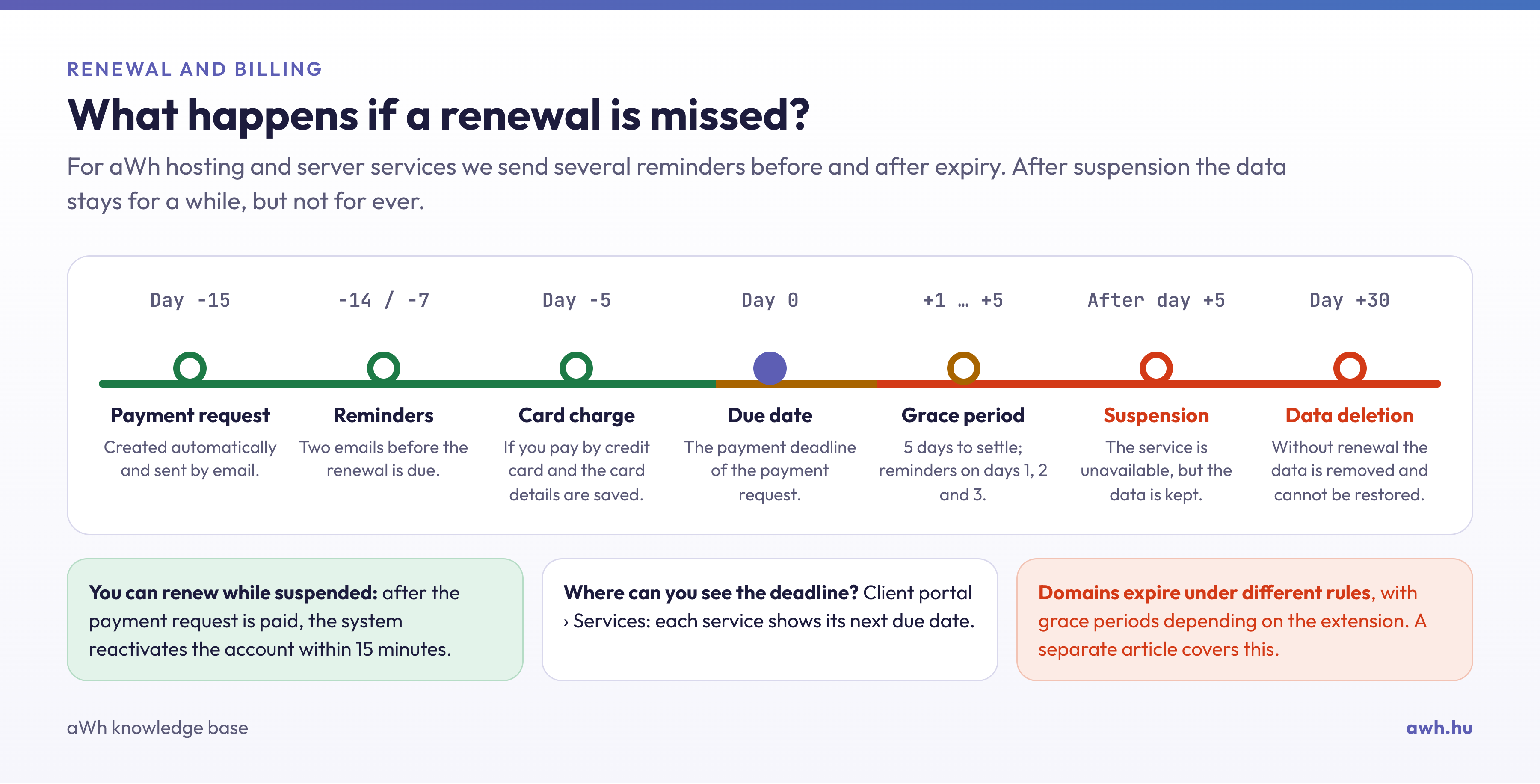
If you have missed the renewal deadline and your service has been suspended, rest assured: even a suspended service can be renewed, and your data is still intact. Once you have paid the payment request and the payment has reached us, the system will automatically reactivate the service within a maximum of 15 minutes. You do not need to open a ticket for this.
When will the payment be received?
- Credit card: online card payments are credited immediately, so the service will be available again within a few minutes. If it’s urgent, please choose this method.
- Bank transfer: once the payment has cleared between banks, it is automatically matched with the payment request when it is credited. If the number of the payment request is included in the payment reference and you have transferred exactly the amount of the payment request, the payment will be matched automatically; payments of a different amount or those without a reference can only be matched manually, which takes longer.
An article on payment methods and the correct reference details for payment requests and invoices provides detailed information.
How long do you have to pay?
We retain the data for suspended services for 30 days following the renewal date. If payment is not received within this period, the data will be removed from the server and cannot be recovered. This article provides further details on this.
If it still isn’t working after payment
- Check the status of your payment request on the client portal under Billing › Payment Requests: if it is not yet marked as ‘Paid’, the payment has not yet been received.
- Refresh your browser: for a short while, your browser may still display the suspension page from its cache. Please try opening it in a private window.
- Please also check the domain: if the domain name has expired, the website will not load even if the hosting is still active. This article explains what happens when a domain expires.
If the service is still shown as suspended 15 minutes after the credit has been applied, please open a ticket on the client portal and include the number of the payment request.
If the suspension was not due to a payment issue, but rather, for example, to exceeding resource limits or a complaint, reactivation is not automatic. These cases are covered in the article on suspension.
